DATA CENTER INFRASTRUCTURE MANAGEMENT
Transform Your Data Center with Clear Visibility and Smarter IT Management
Unlock capacity, drive compliance, and cut downtime with complete visibility into data center space, power, cooling, and assets.
Boost Operational Efficiency
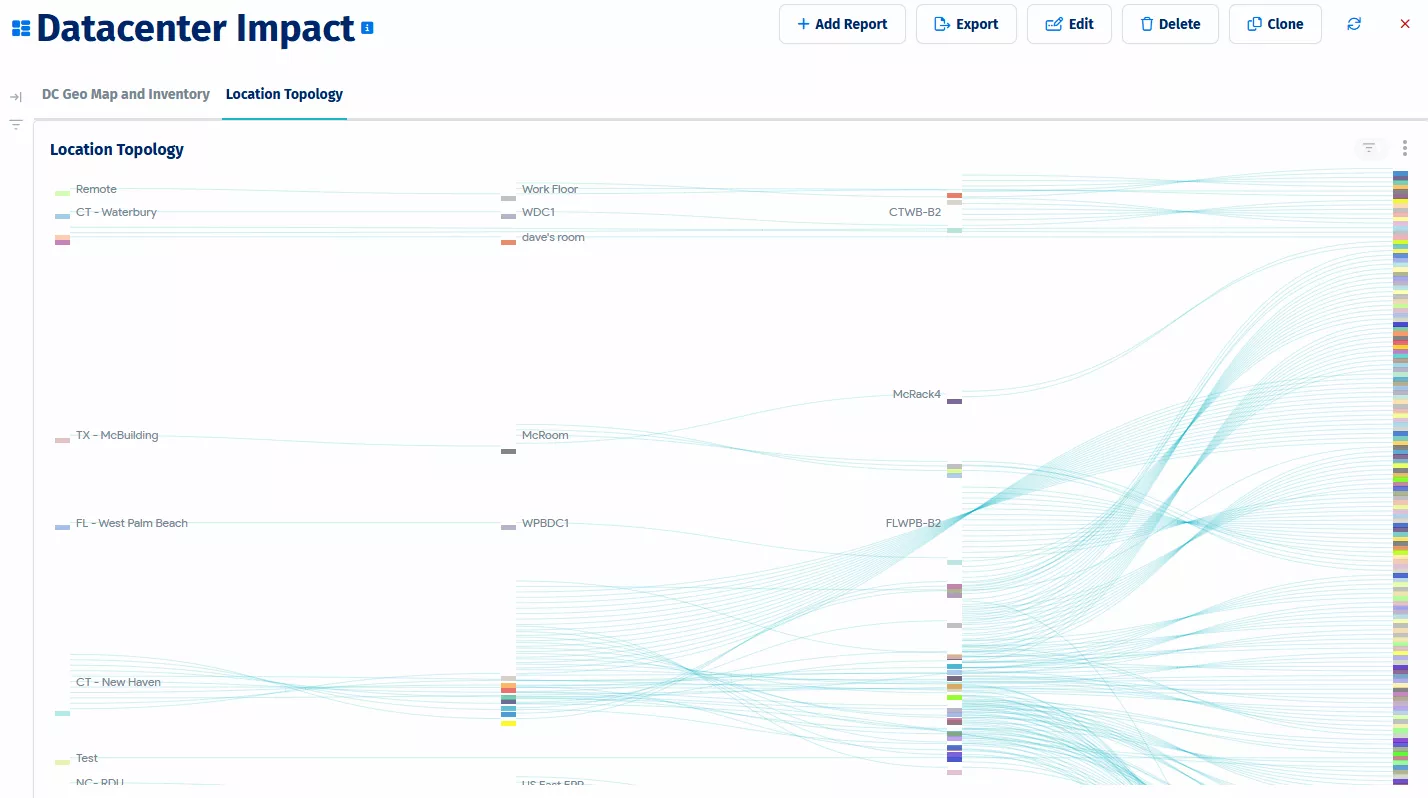
Optimize operational efficiency with DCIM’s power, thermal and space management.
Improve efficiency with DCIM space visualization tools and real-time power and thermal data. Leveraging heatmaps and alerts, optimize resource allocation, reduce waste, and refine capacity planning, boosting operational efficiency and cutting costs.
Reduce Operational Risk
Reduce risk with data center modeling and proactive power and thermal management.
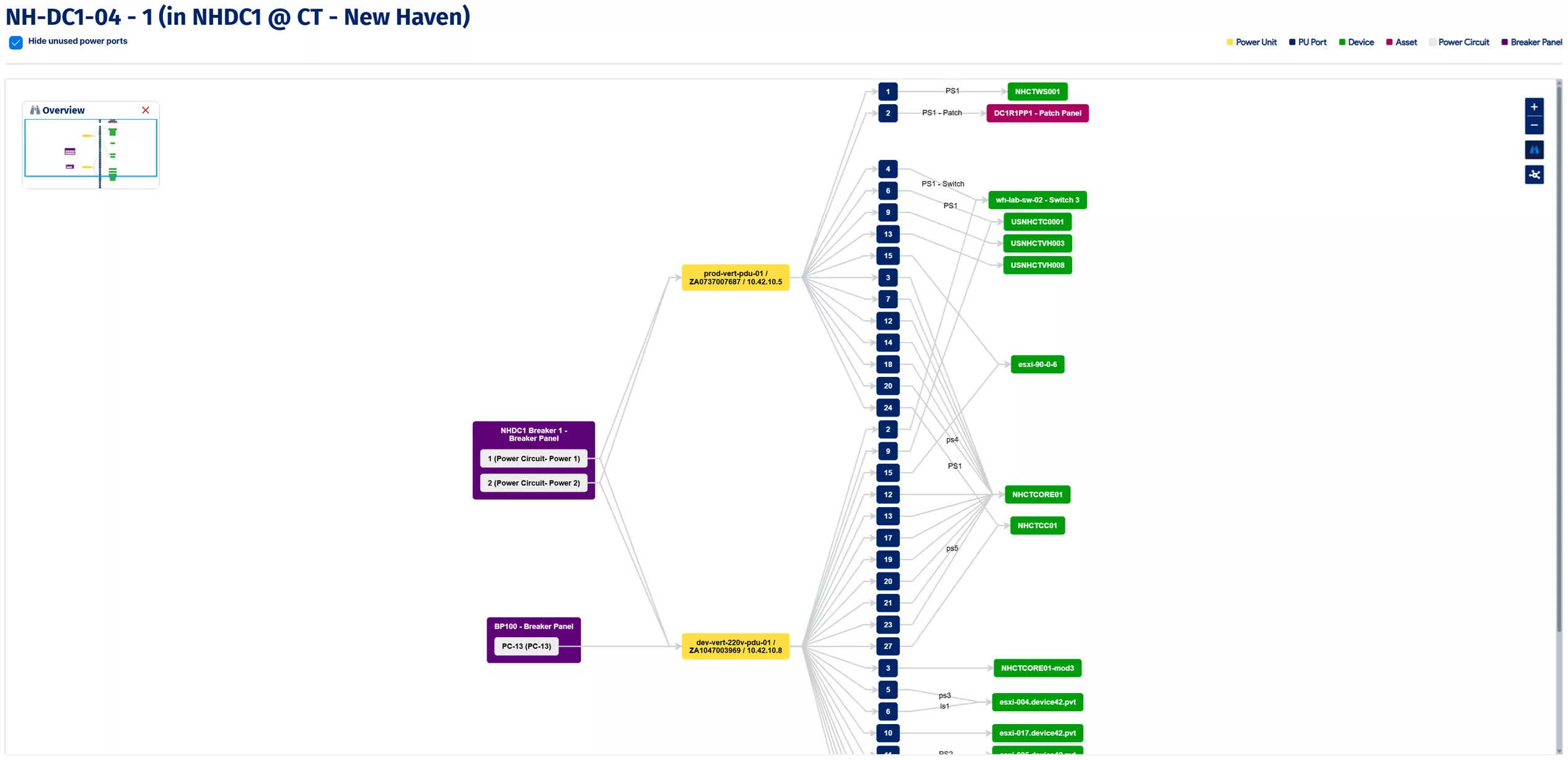
Reduce operational risk by simplifying data center modeling with drag-and-drop tools for building, room and rack layouts. Leverage power and thermal management to proactively monitor and prevent costly issues, ensuring optimal performance and minimizing risks.
Easily Achieve Compliance
Simplify audits and achieve compliance with lifecycle tracking and asset management.
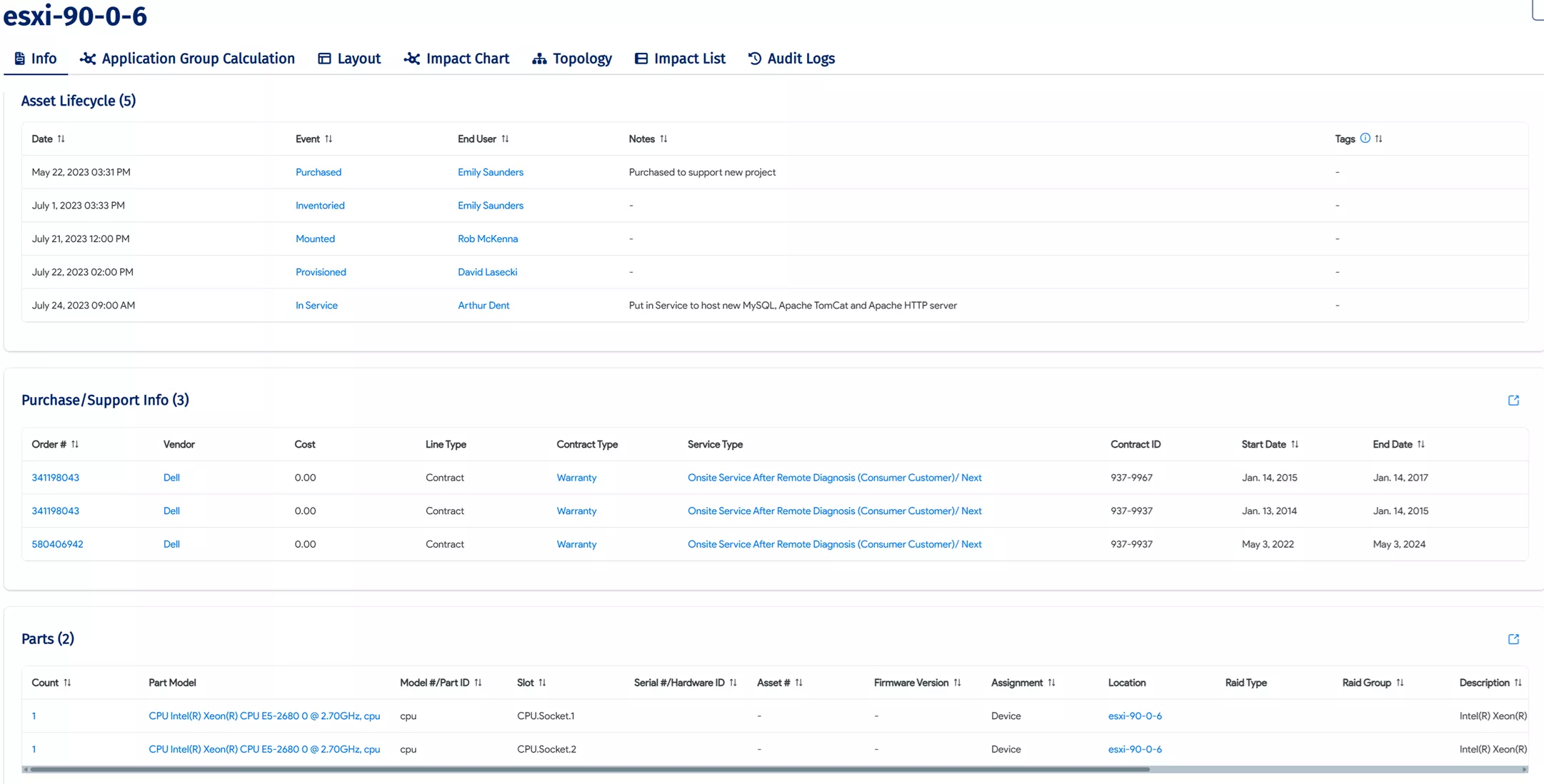
Effortlessly complete data center audits and ensure compliance by tracking equipment lifecycle from purchase to end-of-life (EOL). Ensure accurate serial number tracking, identify active assets, and simplify regulatory reporting with the click of a button.
DCIM tools for accurate management
and modeling of data center environments
Comprehensive auto-discovery capabilities power data center visualization tools,
providing data center diagrams that accurately reflect your IT environment.
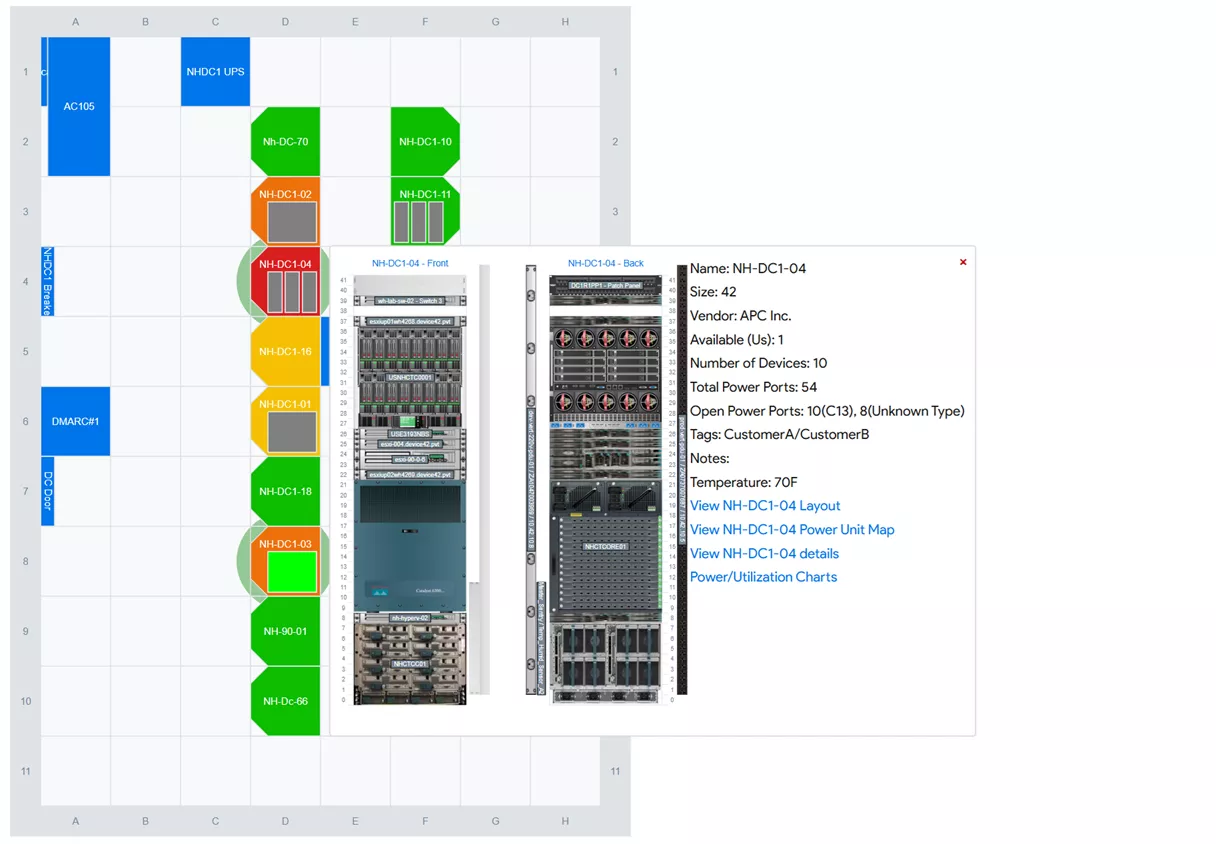
Effortlessly Model and Manage Server Rooms With Drag-and-Drop Layouts and Heatmaps
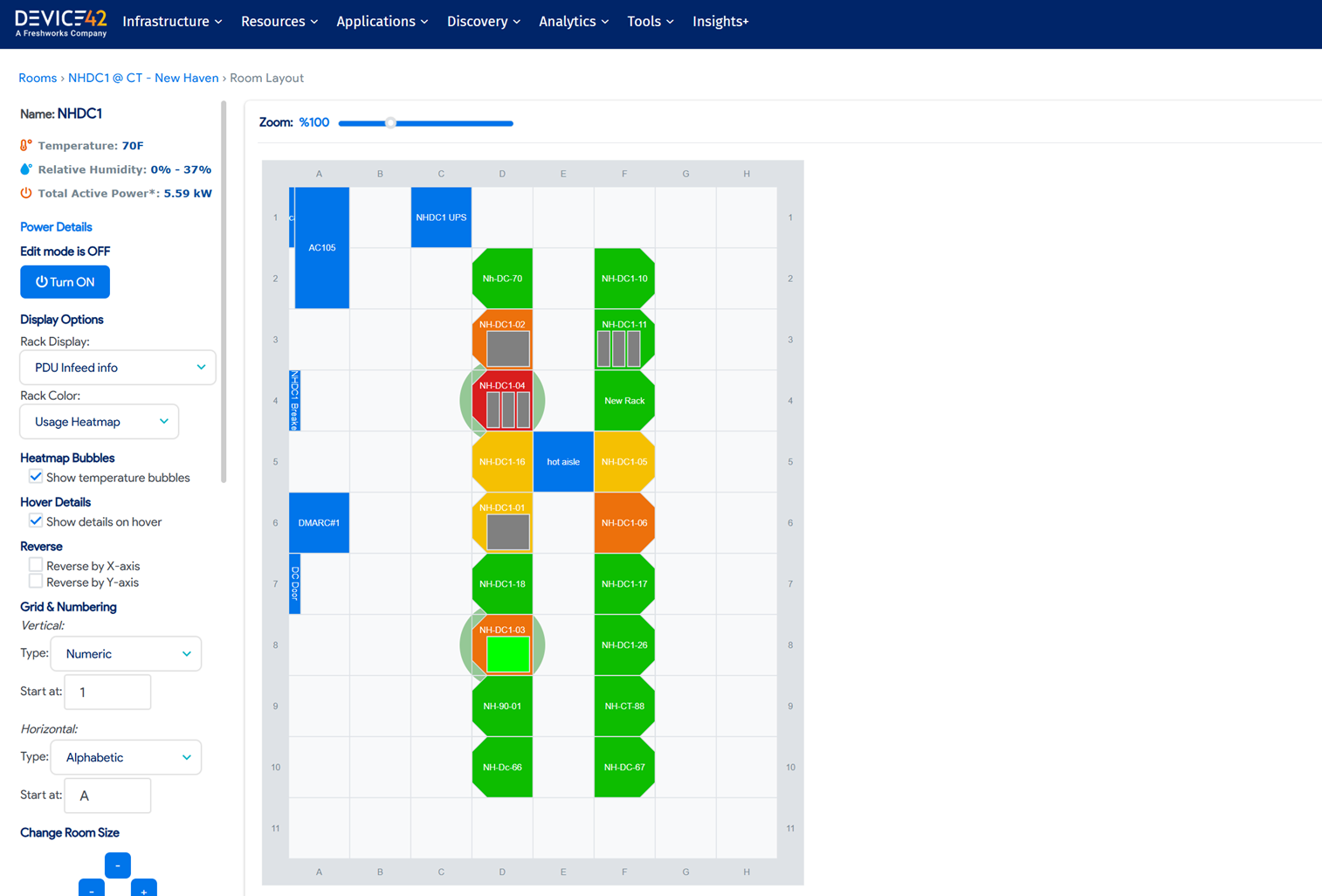
Simplify data center room layouts with drag-and-drop tools to map buildings, rooms, and racks. Easily manage infrastructure by adjusting rack orientation, accessing object details, and exporting to SVG. Color-coded heatmaps streamline efficient capacity planning.
Device42 makes creating and updating room layouts simple and intuitive, enabling you to:
- Drag and drop racks, CRAC units, and other assets to build your layout.
- Change the orientation of any rack with a single click.
- Hover over any object to view its key details instantly.
- Select an object to navigate directly to its comprehensive details page.
- Visualize power, space, and weight availability with built-in heat maps.
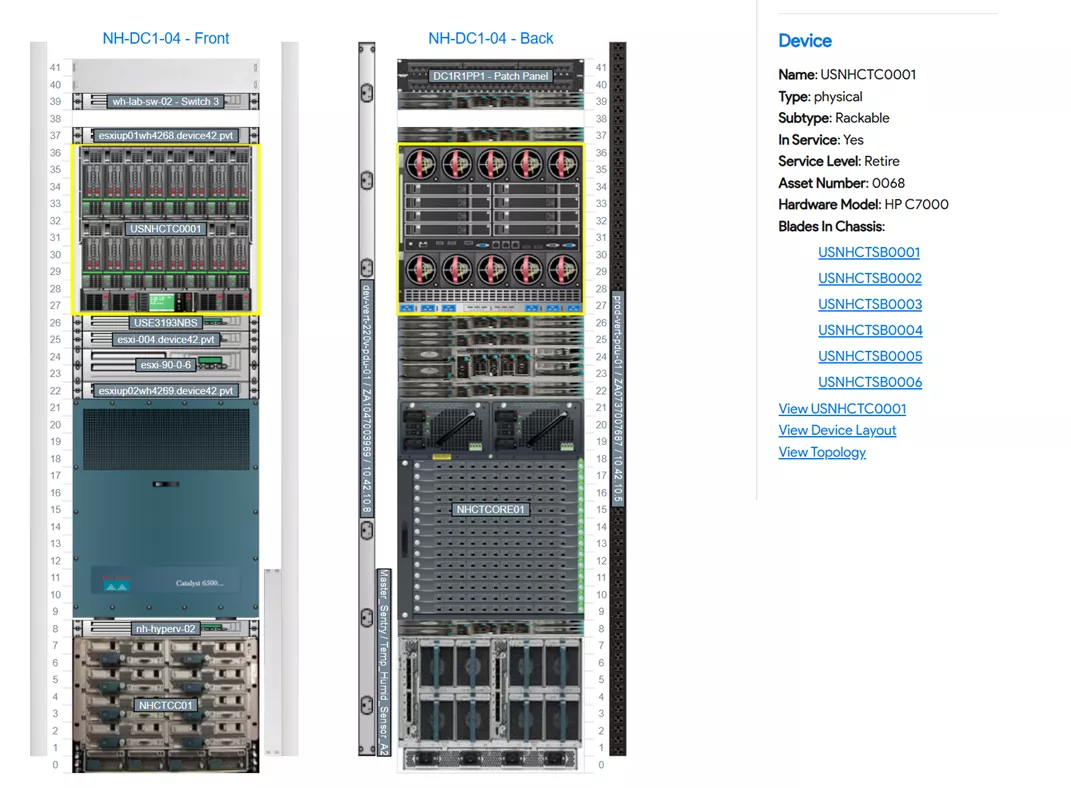
Effortlessly Manage Rack Layouts With Auto-Generated Diagrams and Custom Views
Auto-generated rack diagrams simplify creating accurate layouts for ½-U, ½-depth, and back-to-back devices. Easily manage infrastructure with customizable views, color-coded heatmaps, hover-over details, and access to device info, improving capacity management.
Key Device42 features make rack elevation management clear and simple, enabling you to:
- Visualize and manage fractional-U and half-depth (back-to-back) devices.
- Include non-powered assets like filler panels and patch panels in your diagrams.
- Identify available rack units and find the next open slot automatically.
- Place PDUs and other assets in or around the rack elevation.
- Move devices between racks with a simple drag-and-drop interface.
- View detailed asset information with a single click directly from the layout.
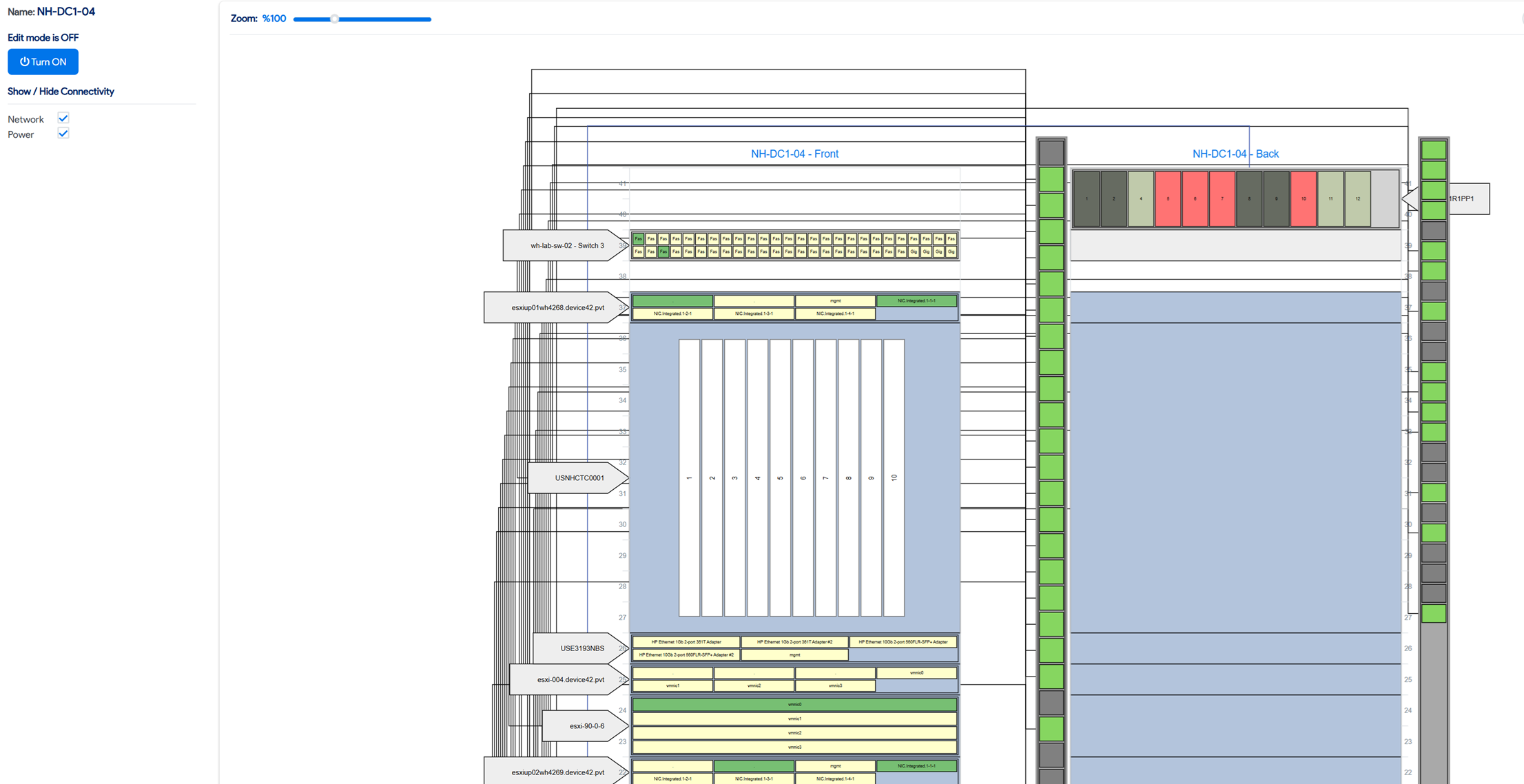
Effortlessly Manage Patch Panel and Power Connections With Custom Diagrams and Visuals
Easily manage patch panel connections with Device42. Visualize fiber, Ethernet, or any panel, build custom diagrams on the fly, select singular or modular ports, and reduce errors while boosting data center efficiency.
Key Device42 features make patch panel management fast, accurate, and easy, enabling you to:
- Define templates for any patch panel type, including fiber and Ethernet.
- Import cabling data in bulk using spreadsheets.
- Manage all cabling data through an intuitive web-based GUI.
- Visualize end-to-end connectivity with clear patch panel layouts.
- Determine port availability and status at a glance.
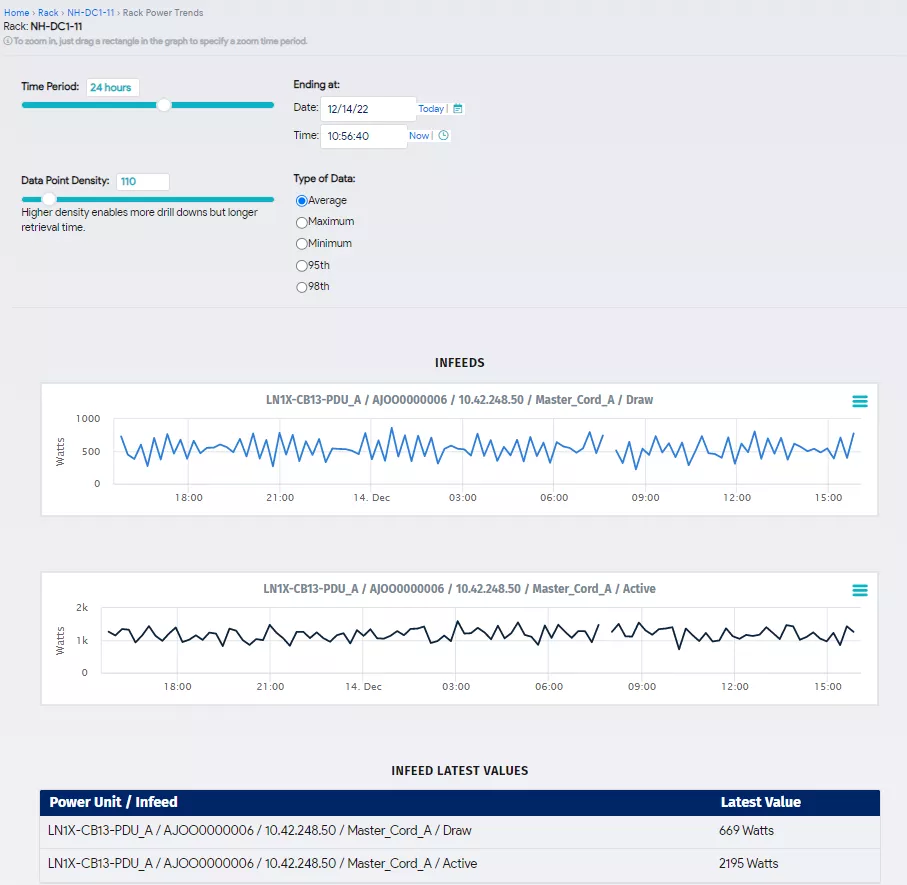
Use Historical Power Data to Simplify Energy Management and Improve Capacity Planning
With Device42 Power Management, you can reduce data center operational risk and improve capacity planning with complete visibility into your power chain. Monitor power in real time from supported Power Distribution Units (PDUs), Uninterruptible Power Supplies (UPSs), Computer Room Air Conditioners (CRACs), branch circuits, and more using Simple Network Management Protocol (SNMP).
Key Power Management Features help you:
- Control power more efficiently with a centralized view and real-time monitoring from supported PDUs, UPSs, CRACs, branch circuits, and more using SNMP.
- Manage data center health with color heat maps at the room and rack level showing infeed and temperature data.
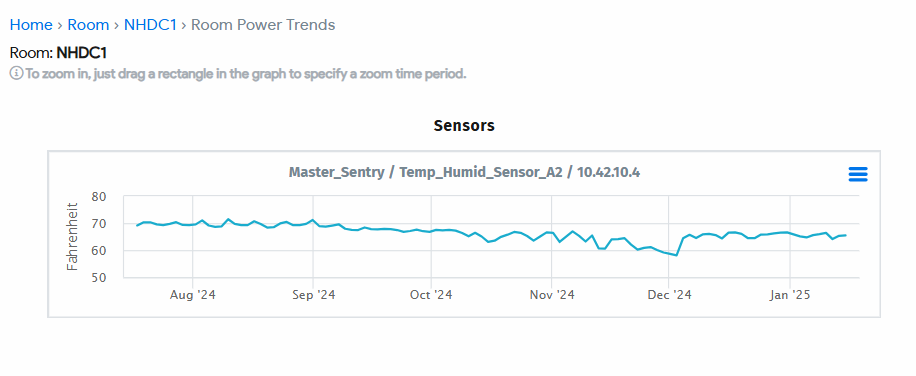
- View reports and charts of historical power data for predictive modeling and trend analysis.
- Set fully configurable alerts with customizable escalation steps for anomalous or clear conditions.
- Gain visibility into power connectivity and map sources to the hardware that depends on them.
- Associate power details with each rack as a total summary in watts or amps, viewable at the room level.
Monitor and Manage Data Center Temperatures to Optimize Cooling and Prevent Risk.
High-density racks put greater pressure on data center managers to prevent thermal issues. Device42’s Data Center Thermal Management delivers real-time and historical insights to improve server performance, reliability, and risk mitigation.
Key thermal management features allow you to:
- Collect real-time temperature and humidity readings from sensors and visualize thermal data across the data center floor.
- Configure temperature and humidity alert email recipients for both alert and clear conditions and trigger automated actions via webhooks.
- Visualize rack capacity using a heat map with red, yellow, and green indicators or customize rack colors for specific applications.
- Analyze historical data to identify trends and proactively manage environmental sensors.
- Access power details for each rack as a total summary in watts and view them at the room level.
- Customize the data displayed below rack details in the rack view for flexibility.
Manage Assets From Procurement to Retirement and Track Every Contract Along the Way
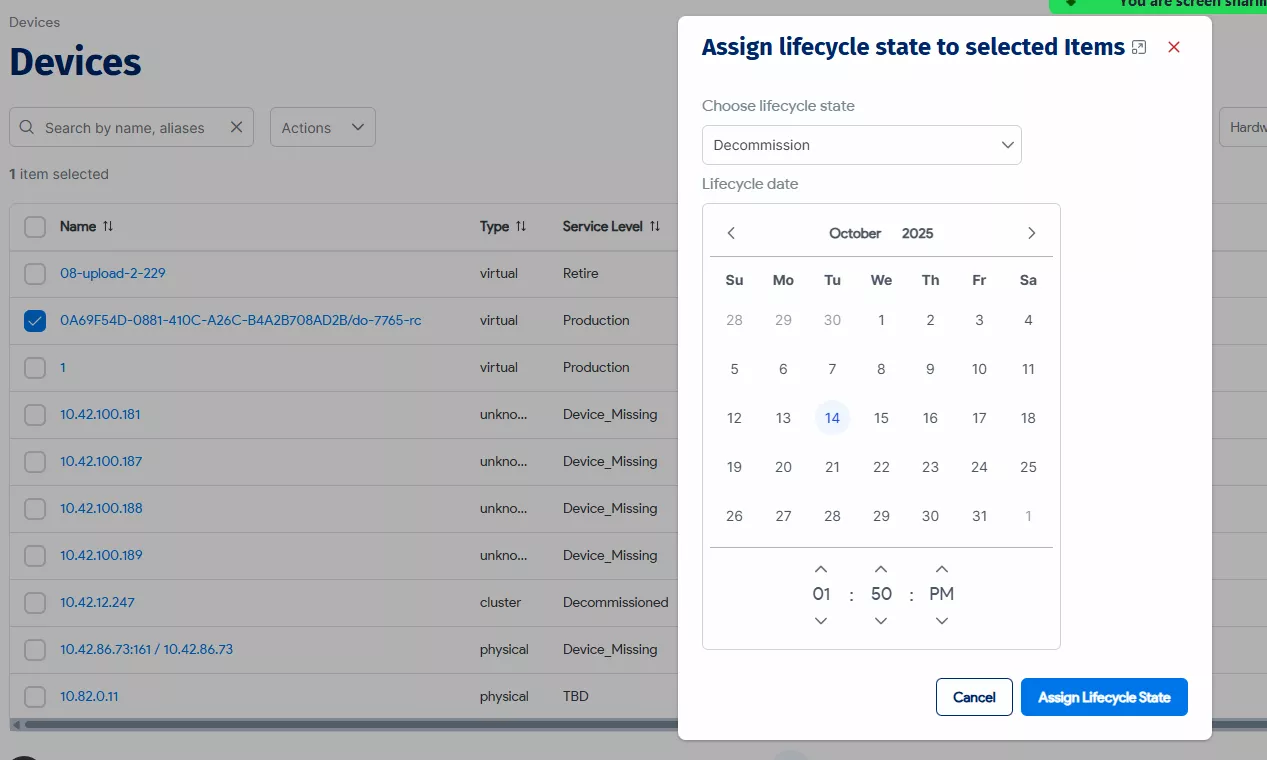
Device42 provides full asset lifecycle management, from procurement to retirement. Track all associated support contracts, warranties, and purchase details per device in one place to stay ahead of renewals, automate key events, and gain complete financial visibility.
Device42 Key Lifecycle Management Features:
- Associate devices with built-in or custom lifecycle events like 'In Procurement' or 'Retired'.
- Create custom lifecycle events that trigger automated actions, such as clearing IP addresses upon retirement.
- Define a device's production status using service levels like 'Production' or 'Development'.
- Generate and assign QR codes for fast, accurate asset identification and updates.
Device42 Key Contract/Purchase Management Features:
- Manage all support contracts, warranties, and purchase records in a centralized repository
- Record detailed purchase information, including vendor, order number, purchase/end dates, renew dates, cost center, and associated customer/department.
- Automate renewal notifications for 30, 60, or 90 days prior to expiration to never miss a date.
- Discover and import warranty and service contract data automatically from major hardware vendors like Dell, IBM, Lenovo, and Cisco.
Optimize Uptime and Reduce Costs With Complete Control of Spare Parts Inventory.
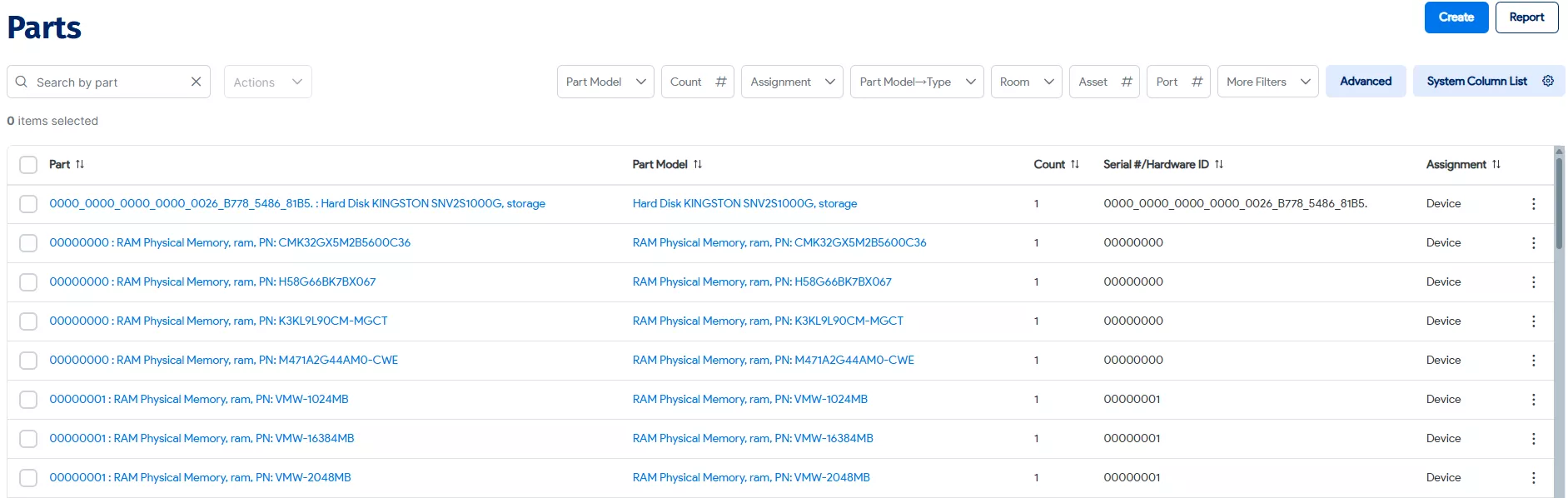
Device42 simplifies spare parts management by tracking inventory, assignments, and movement across locations. It connects parts to devices, monitors stock levels, and alerts you when replacements or replenishment are needed.
Key Spare Part Features give you the tools to:
- Support CPU, RAM, HDD, and other customizable hardware components.
- Differentiate between parts models and individual instances.
- Track inventory status and sort by available, in use, in transit, or RMA.
- Assign parts to devices, storage locations, or transfers and manage slots and ports.
- Set alerts and thresholds for low stock levels.
- Import and manage parts in bulk via spreadsheets.
- Monitor transfers and integrate part details directly within device records.
- Control assignments globally or per device from the Parts Model, Parts page, or device tab.
Frequently Asked Questions
Run IT with confidence.®
Discover Everything